Text Remover from Image
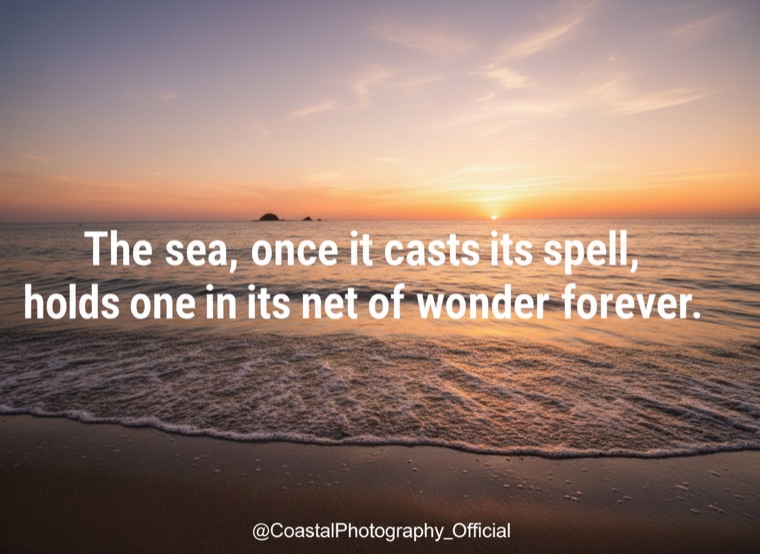
Erase any text overlay, captions, signatures, watermarks. Remove any text from a photo, captions, signatures, watermarks, social-media overlays. Brush over the text or let our AI auto-detect.
- Captions and quotes
- Watermark text
- Social-media handles
- No signup
- Files deleted in 1 hour
- 510K monthly searches

Three steps. Usually under a minute.
Any common format up to 12000×8000 px.
Our OCR finds visible text. For decorative or stylized type, brush over it manually.
Text gone, underlying texture preserved.
People who reach for this tool.
Remove text from popular images to repurpose the visual.
Strip captions and watermarks from your own licensed assets.
Remove address overlays from listing photos when relisting.
Clean image quotes from articles you have rights to repurpose.
Removing watermarks from someone else's content and reposting violates their copyright. We refuse jobs we suspect are unlicensed.
Does it handle stylized fonts and handwriting?
Auto-detect catches print fonts. Stylized type and handwriting often need a brush mask, which is one click.
Will it remove burned-in subtitles from a video frame?
Yes for stills. For full video subtitle removal, use the Video tool which tracks subtitles across frames.
Maximum image size?
Free: 8 MP. Pro: 80 MP. Studio: unlimited.
Does it preserve color and lighting?
Yes. We modify only the pixels under the text region; the rest of the image is bit-identical.
Can I remove text in non-Latin scripts?
Yes, our OCR covers Latin, Cyrillic, Arabic, Hindi, Chinese, Japanese, and Korean. Brush mode is language-agnostic.
How Text Remover from Image watermark removal works.
Text in images is one of the most common watermark patterns, diagonal copyright lines, social-media handles, photo-credit lines, captions, and stylized quotes. Our remover combines OCR-driven auto-detect with a manual brush mask for decorative or low-contrast text. The masked region is filled with content-aware inpainting that respects the surrounding texture and lighting. Works on print fonts, stylized type, handwriting (with manual masking), and non-Latin scripts including Cyrillic, Arabic, Hindi, Chinese, Japanese, and Korean.
Try Text Remover from Image on your own content.
3 free a day. No card required.
Open the watermark remover →