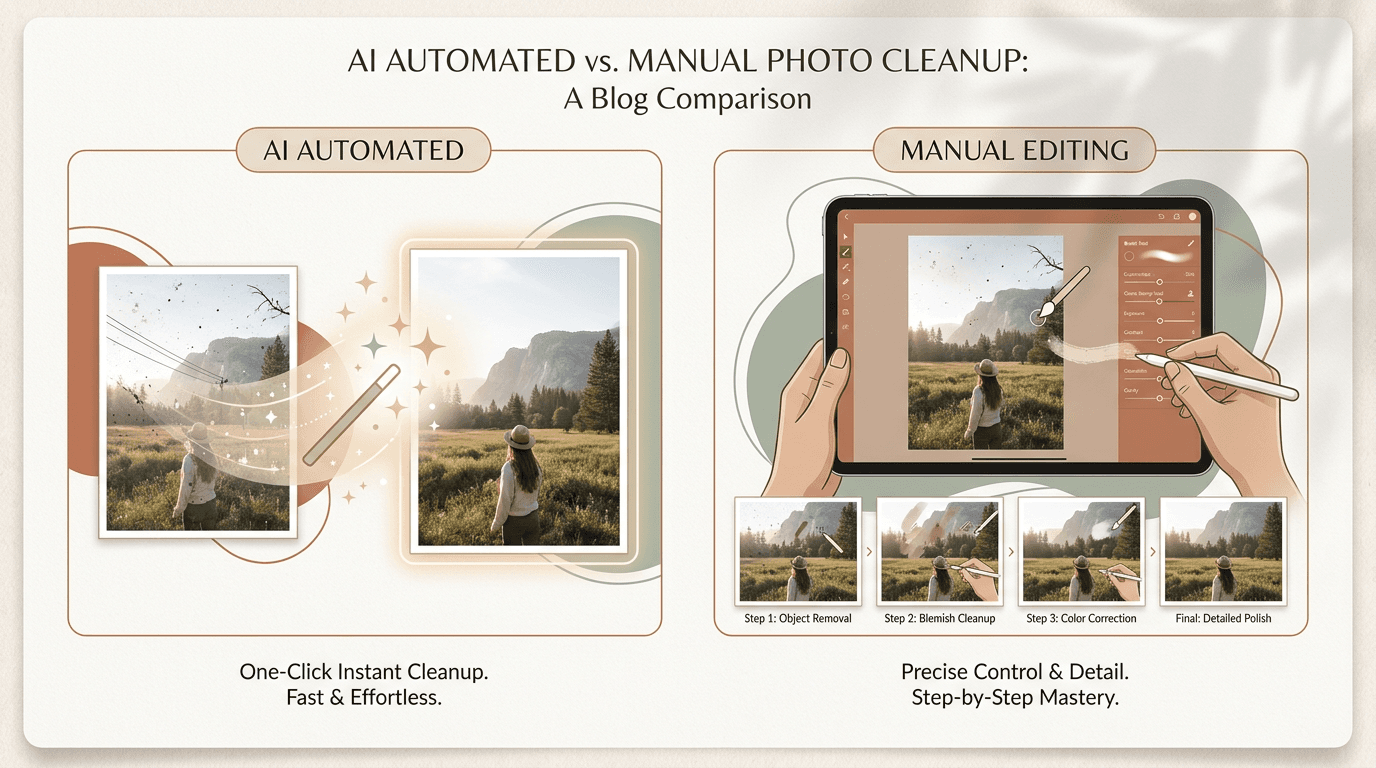
Quick answer: Use these methods only on images you own or are allowed to edit. AI removal is faster and easier on simple backgrounds; manual editing gives more control on faces and fine detail. For most photos the best result is a hybrid pass: run AI first, then clean the last few spots by hand.
Use this guide only for images you own or are allowed to edit. That includes your own photos, licensed files, and other content you have permission to change.
Many people ask the same question before they start. Should I use AI, or should I edit the watermark by hand?
Both methods can work. The better choice depends on the image, the watermark, and how much time you want to spend. This guide explains where AI wins, where manual editing wins, and why a mixed workflow often gives the best final result.
What does "better results" really mean?
People often use the word "better" without defining it.
For watermark removal, better usually means:
- the photo still looks natural
- edges stay clean
- faces do not look blurry
- texture does not look repeated or fake
- the cleanup is fast enough for the job
A result is not better just because it is fast. It is also not better just because it took longer. The best method is the one that gives a clean image without wasting time.
AI vs manual vs hybrid at a glance
Here is how the three approaches compare on the factors that matter most.
| Factor | AI removal | Manual editing | Hybrid (AI + manual) |
|---|---|---|---|
| Speed | Fastest, seconds per image | Slowest, many small choices by hand | Fast, one AI pass, then a short touch-up |
| Skill needed | Low, upload, mark, run | High, sampling, healing, judging edges | Low to medium, AI does the heavy lifting |
| Quality on simple backgrounds | Excellent, sky, walls, water, grass | Good, but slower than needed | Excellent |
| Quality on faces & fine detail | Can soften or bend detail | Best, one edge or texture at a time | Best, AI base, manual repair on detail |
| Batch work | Strong, many files at once | Weak, slow per image | Good, AI batch, manual only where needed |
| Best for | Easy photos, beginners, volume | Hard photos where detail must stay sharp | Most real-world photos |
Which is faster?
If speed is your top goal, AI usually wins.
It removes the first draft fast, helps with batch work, and cuts the repetitive brushing you would otherwise do by hand. You can clean a simple photo in seconds and a stack of photos in one short session.
Manual editing is slower because you make many small choices yourself. That slower pace can be worth it on hard photos, but it is rarely the best use of time on easy ones.
Which gives more control?
Manual editing wins on control.
It is usually the better choice when the watermark sits on:
- a face
- eyes or teeth
- fingers
- hair
- detailed text
- jewelry
- straight building lines
- patterned fabric
These details are easy for AI to soften or bend. Manual editing lets you decide what stays sharp and what gets rebuilt, which matters when even a small mistake is easy to notice.
AI, by contrast, is strong at rebuilding plain areas like sky, walls, sand, grass, water, and blurred backgrounds. On those, it often looks good enough on the first pass.
Pro tip: Match the method to the hardest part of the image, not the easiest. One face under the watermark is enough to justify a manual touch-up, even if the rest is plain sky.
When should you use both?
A hybrid workflow means you use AI and manual editing together. It is often the best option when:
- AI gets most of the job right
- only a few small flaws are left
- the watermark crosses both a simple area and a detailed area
For example, AI may clean the background well but leave a soft edge near a face or object. In that case:
- keep the AI result
- zoom in to 100%
- fix only the damaged edge by hand
This is faster than doing the whole image manually, and cleaner than trusting AI alone. For a step-by-step version, see how to remove a watermark from a photo.
How does quality compare?
Quality depends on the image, not just the tool.
AI quality is often very good on simple backgrounds. Manual quality is often stronger on hard details, because you can repair one edge or texture at a time.
In practice:
- easy photo: AI matches or beats manual work on speed and acceptable quality
- hard photo: manual cleanup usually produces the cleaner final image
- mixed photo: AI plus manual cleanup is usually best
What goes wrong, and how to avoid it
Most poor results come from a few repeatable mistakes.
With AI, people often:
- select too much area
- repaint a bigger patch after a bad first result
- trust the output without checking at full size
- use a low-quality screenshot instead of the original file
Keep the selection tight, review at 100% zoom, and rerun a small area instead of the whole section.
With manual editing, people often:
- clone the same texture too many times
- blur a sharp corner
- fix too large an area in one pass
- ignore light and shadow direction
Manual work looks best when you move slowly and fix one small problem at a time.
Pro tip: Always work on a copy. Keep the untouched original so you can compare against it and start over if a pass goes wrong.
The best workflow for most users
For most real photos, this order works well:
- save a copy of the original
- run AI removal first
- inspect the result at full size
- look for soft blur, repeated texture, or broken edges
- clean only those spots by hand
- compare the final image with the original before export
It is fast, practical, and easy to control.
Which method should you choose?
Choose AI first if you want speed, the watermark is on a simple area, you are a beginner, or you have many photos to process.
Choose manual editing first if the watermark covers important detail, the image needs very careful repair, or you already know your way around healing, clone, and inpainting tools.
Choose both if the image matters, the first AI result is close but not perfect, and you want the best mix of speed and quality.
Stay within the rules
Only remove watermarks from images you own or are allowed to edit. Do not use AI tools or manual editing to break copyright, contract, privacy, platform, or other rules.
If you are editing work for a client or team, make sure the permission is clear before you begin.
Final recommendation
AI is usually better for speed. Manual editing is usually better for control. A hybrid workflow is usually better for real-world results.
So for most people, the choice is not AI versus manual editing. It is AI first, then manual cleanup only where the image still needs help.
If you have the right to edit the image, try the AI watermark remover for the first pass and inspect the result at full size before you export the final file.