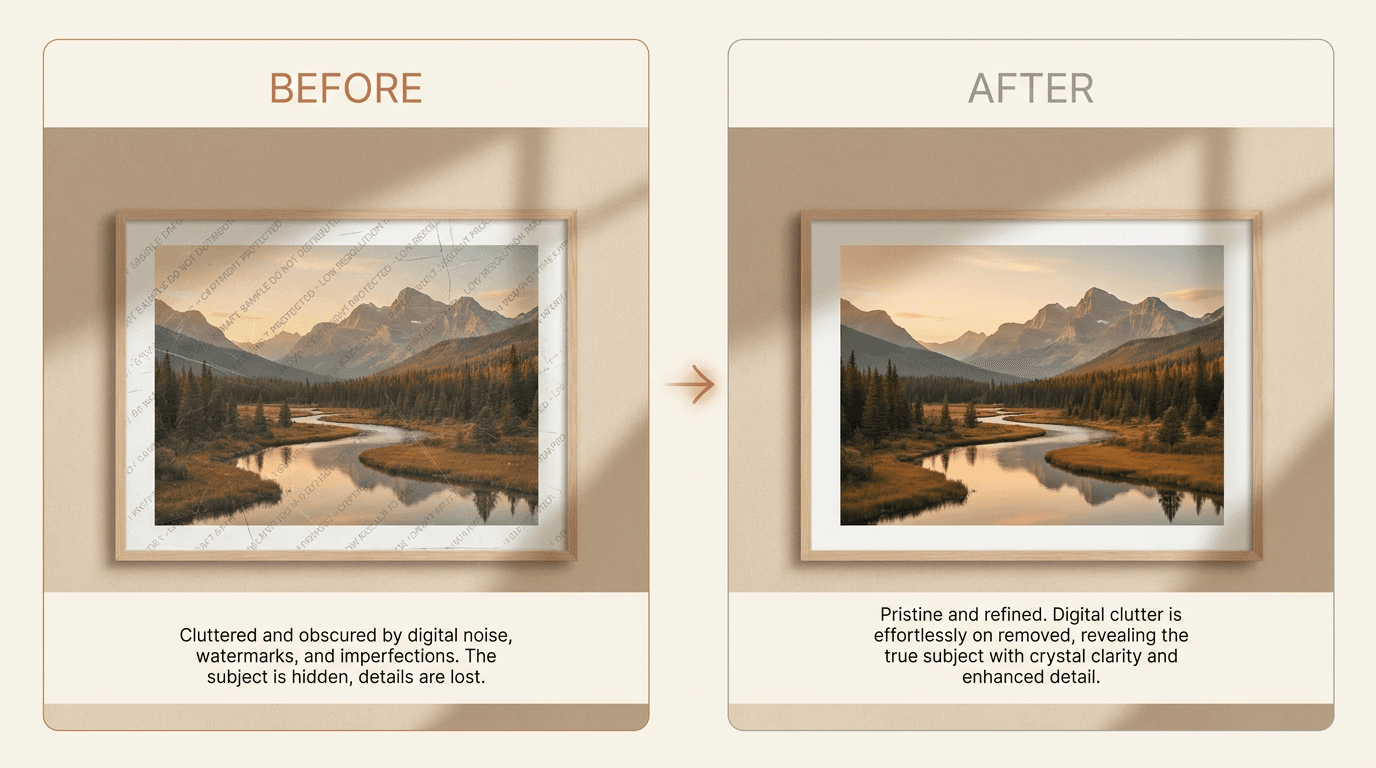
Quick answer: Use this only for photos you own or are allowed to edit. The fastest path is an AI watermark remover for the first pass, then a manual brush touch-up where the AI leaves a smudge, usually on faces, hands, or fine text. This hybrid workflow gives you both speed and natural detail in under a minute per photo.
Use this guide only for photos you own or are allowed to edit. That includes your own pictures, licensed files you bought, or previews you are allowed to clean up after purchase.
Removing a watermark is easy to do badly. The hard part is keeping the photo natural after the mark is gone.
This guide explains when AI tools work well, when manual editing is better, and what you can do to avoid a blurry or fake-looking result.
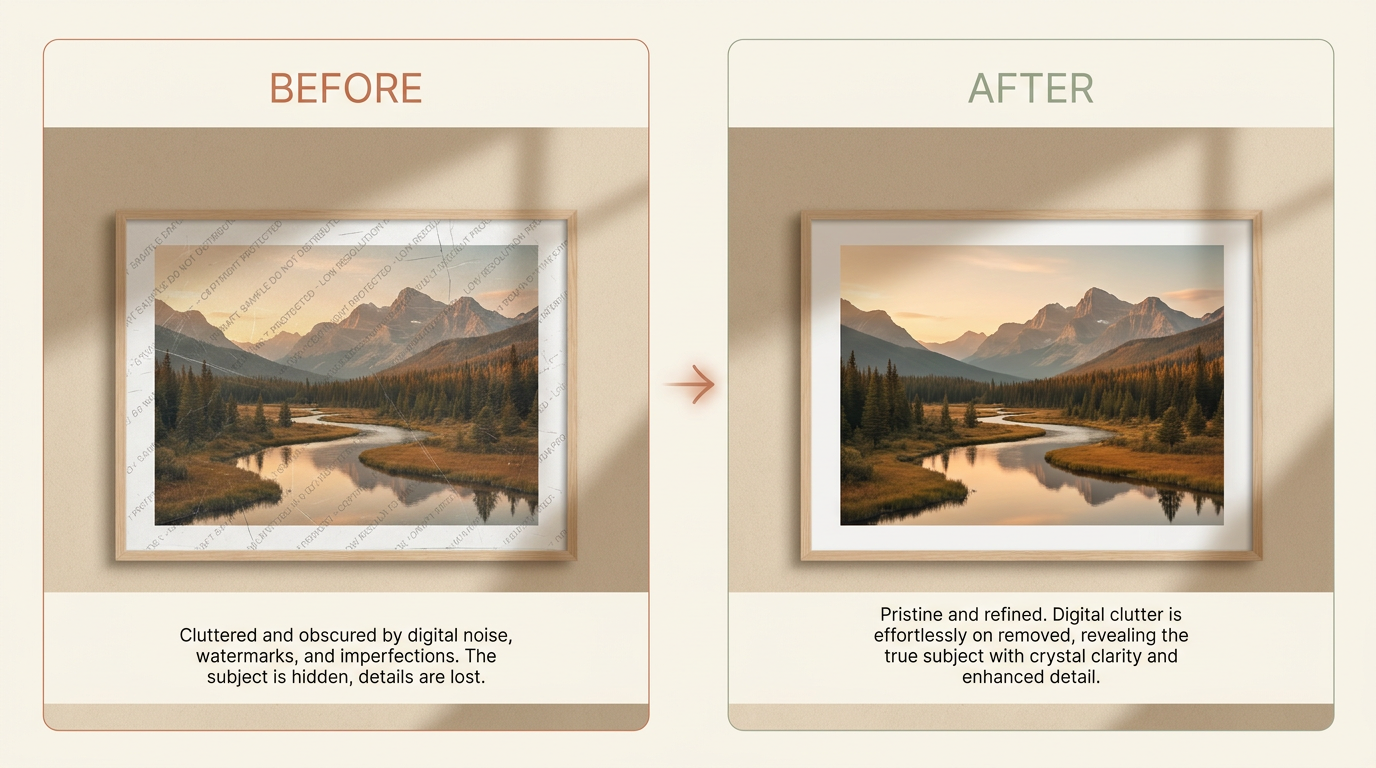
Quick Answer
If the photo is yours or you have clear permission to edit it, an AI remover is usually the fastest place to start.
It works best when:
- the watermark is small or medium in size
- the background behind it is simple
- the mark does not cover a face, hand, or detailed texture
If the watermark crosses fine detail, a manual touch-up step often gives a better final image.
When does it make sense to remove a watermark?
You may need to remove a watermark when:
- You own the photo and want a clean copy
- You bought a license and only got a watermarked preview
- Your own camera added a date stamp or other mark you do not want
- An old photo has damage that looks like a watermark
Before You Start
Check these things first:
- Make sure you have the right to edit the image
- Find the highest-quality copy you can
- Save a backup before you change anything
- Zoom in and study what sits behind the watermark
That last step matters. A flat sky is easy to repair. Hair, eyes, text, and building lines are harder.
Pro tip: Start with the largest source file you have. Removing a mark from a full-resolution photo gives the AI more pixels to work with than a small screenshot ever will.
Method 1: Use an AI Tool First
An AI tool is the best first step for most people because it is fast and gives you a strong draft in one pass.
Good AI removal usually follows this pattern:
- Upload the image
- Mark the area that should be removed
- Let the model rebuild the hidden background
- Review the result at full size
- Run a second pass if a small artifact remains
This works well because the model does more than blur the area. It tries to rebuild shapes, light, color, and texture around the missing part, usually in under a minute per photo.
When does AI removal look good?
AI tools often do well when the watermark sits on:
- sky
- walls
- sand
- grass
- plain fabric
- out-of-focus backgrounds
When does AI removal need help?
AI results are less reliable when the watermark covers:
- eyes or teeth
- fingers
- straight building lines
- detailed text
- jewelry
- patterned fabric
In those cases, use AI for the first pass and then clean the last defects by hand.
Method 2: Edit It by Hand
Manual editing takes more time, but it gives you more control.
Use it when:
- the watermark sits on a face
- the AI result looks soft or warped
- you need to protect hard edges or text
- only a few small marks are left after the first pass
Most editors use some mix of these tools:
- Brush over the watermark area
- Use inpainting or healing tools
- Clone clean pixels from a nearby area
- Fix edges one section at a time
Work slowly. Short, careful strokes usually look better than one large patch.
AI removal vs manual editing: which should you use?
Most people do not have to choose one for the whole image. The fast answer is to start with AI, then reach for manual tools only where the result still looks off.
| AI removal | Manual editing | |
|---|---|---|
| Speed | Under a minute per photo | Several minutes to an hour |
| Skill needed | None, upload and mark the area | Comfort with brushes, cloning, and healing |
| Best for | Simple or out-of-focus backgrounds | Faces, text, straight lines, fine detail |
| Weakness | Can smudge detailed areas | Slow, and easy to overwork by hand |
For a deeper side-by-side, see AI watermark removal vs manual editing.
Best Workflow for Clean Results
If you want the best result, use this order:
- Start with AI removal
- Check the image at 100% zoom
- Look for smudges, repeated texture, or broken lines
- Clean those spots by hand
- Export a new copy and compare it with the original
This hybrid workflow is often better than using only AI or only manual editing.
Common Mistakes That Make Photos Look Fake
Most bad edits come from the same few mistakes:
- removing too large an area at once
- using a low-resolution source file
- leaving soft blur where texture should exist
- repeating the same pattern in a visible way
- forgetting to match shadows and light
If something looks wrong, step back and ask one simple question:
Does this area match the parts around it?
If the answer is no, redo only that section instead of restarting the whole image.
How to Keep Image Quality High
Use these rules:
- Start with the largest photo you have
- Avoid screenshots if you can get the original file
- Zoom in before cleaning small details
- Fix one section at a time on complex images
- Use more than one pass if the first result still looks rough
- Save a copy so you can compare before and after
Pro tip: If the photo is only a date stamp in a corner, that is an easier job than a logo across the subject. See how to remove a date stamp from a photo.
If the image will be printed or used for work, always inspect it on a large screen before you call it done.
What to Expect From the Final Result
Even good tools have limits.
You can often get:
- a clean result on simple backgrounds
- a strong result with minor hand cleanup on medium-detail areas
- a usable result on hard images after more careful editing
You should not expect perfect recovery every time. If the watermark covers important detail, some guessing is always involved.
Is it legal to remove a watermark?
Only remove watermarks from images you own or have clear permission to change. Do not use this process to break copyright, contract, platform, privacy, or other legal rules.
If you are editing work for a client or team, make sure the permission is clear before you start.
Final Recommendation
Start with AI because it is faster and usually good enough for the first pass. Then use manual cleanup only where the result still looks off.
That gives you the best mix of speed and quality.
If you have the right to edit the image, try Remove Watermark and review the result at full size before you export the final file.